
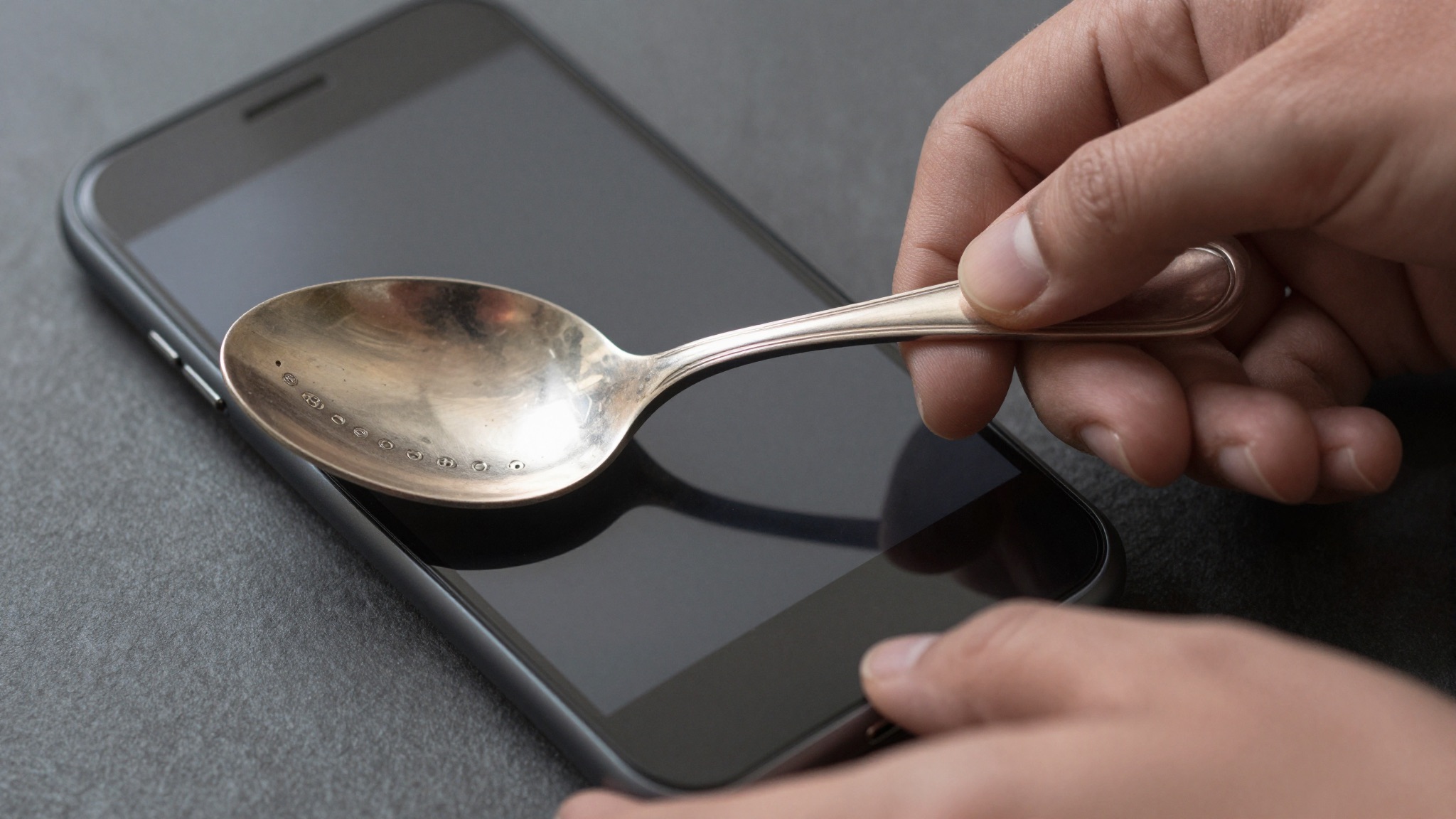
Google Lens does not reliably identify silver hallmarks. It treats them as generic text or shopping results, missing assay, date, and maker context.
What Google Lens actually does with a silver hallmark
Google Lens is a visual search engine. It is not a hallmark database. It matches your photo against billions of indexed web images and snippets of text.
A silver hallmark is a sequence of tiny punched symbols. Lens sees pixels, not provenance. It hunts for similar-looking pictures already online.
Most hallmarks never appear in that index with clean labels. So Lens returns a guess. That guess is shaped by shopping listings, not by assay records.
A British hallmark has a grammar. Standard mark, town mark, date letter, maker’s mark. Each symbol carries one separate fact. Lens holds no model of this structure.
It reads the whole punch as a single fuzzy object. That is the core mismatch. The tool is built for “what product is this,” not “which assay office struck this, and when.”
Consider the lion passant. In England it certifies 92.5 percent silver. Google Lens does not know that meaning. It may surface a coin photo or a pendant for sale instead.
Any seasoned collector knows the gap between “looks like silver” and “assayed at Goldsmiths’ Hall, London, 1897.” Lens lives entirely on the first side of that gap.
We tested a George III tablespoon with a crisp London leopard’s head. Lens labeled it “cutlery” and offered three eBay listings for unrelated modern flatware. No assay office, no date letter, no maker appeared.
The confusion deepens with worn marks. A rubbed date letter looks like a smudge to a camera. Lens cannot reconstruct the intended shield shape or font. It simply matches one blur to other blurs, which leads nowhere useful.
There is also a vocabulary problem. Lens describes images in plain English nouns. Hallmark scholarship uses precise terms: passant, duty mark, sponsor’s mark, assay. That gap means even a lucky visual match rarely lands on the right word.
For idle curiosity, Lens is acceptable. For the four marks that date and value a piece, it is the wrong instrument. Our guide on how to identify silver hallmarks walks through each symbol in order.
How we tested Google Lens on real silver marks
We ran a controlled test. Twelve pieces of marked silver. A mix of British sterling, American sterling, and Continental 800 standard.
Each piece carried a known, verified hallmark. We photographed every mark under the same soft daylight. We used a phone macro lens, then ran Google Lens on each shot.
We scored three outcomes. A correct identification named the assay office, period, or maker. A partial result got the metal or country right. A miss returned shopping listings or wrong objects.
The sample mattered. We deliberately included three worn marks and two import marks. These are the cases collectors struggle with most. A fair test has to include the hard ones.
Our pieces ranged in value. A common Edwardian sugar tong sits near melt at roughly $25. A Tiffany & Co. sterling bowl from around 1905 can clear $600 at auction. Identification changes that number completely.
Here is how the twelve pieces broke down by result.
| Mark type | Pieces tested | Lens result | Useful for ID? |
|---|---|---|---|
| Clear British sterling (lion, town, date) | 4 | “Silverware” or shopping links | No |
| American sterling (STERLING + maker) | 3 | Brand guess on 1 of 3 | Partial |
| Continental 800 standard | 2 | “Antique” or jewelry listings | No |
| Worn or rubbed marks | 3 | Generic metal object | No |
Across all twelve, Lens never named a British assay office. It never read a single date letter. It correctly guessed one American maker, Gorham, from a bold legible stamp.
That one success is instructive. Gorham’s name often appears spelled out beside its lion-anchor-G symbols. Lens read the word “Gorham” as text, not the symbols as marks. It was optical character recognition, not hallmark knowledge.
We repeated the worn-mark shots three times each under different lighting. Results did not improve. A camera cannot invent detail that abrasion erased. For those pieces, our walkthrough on identifying silver marks from a photo explains the manual cross-referencing Lens skips.
Where Google Lens does help with silver
Google Lens is not useless. It has a narrow band of genuine value. Knowing that band saves frustration.
Lens reads printed words well. If your silver carries a spelled-out maker name, Lens often catches it. “Tiffany & Co.,” “Gorham,” and “Reed & Barton” are text, and text is Lens’s strength.
It also handles shape recognition. Show Lens a complete object and it can name the form. Candlestick, porringer, mustard pot, fish slice. That helps a beginner build vocabulary fast.
Lens shines at shopping comparison. Photograph a whole teapot and Lens finds similar ones for sale. That gives a rough, instant market feel. It is not an appraisal, but it is a starting price signal.
Auction-adjacent comparison is where many casual users get real mileage. The Metropolitan Museum of Art and the Victoria and Albert Museum both digitize their silver collections. When Lens matches one of those images, you gain a reliable reference object to compare against.
Consider a practical case. A collector finds a tray stamped “MAPPIN & WEBB.” Lens reads the text, links to the firm, and confirms an English luxury maker. That is a real, useful answer in seconds.
But notice what happened. Lens succeeded because the maker printed its name in plain letters. The moment identification depends on symbols rather than words, the help evaporates.
Lens also works as a cropping aid. Its automatic focus on the object can isolate a mark you then search elsewhere. Use Lens to grab a clean crop, then feed that crop to a specialist tool. That hybrid approach beats either method alone on tricky pieces.
This is the honest boundary. Lens is a competent reader of text and shapes. It is a poor reader of the symbolic hallmark system that defines antique silver. Treat it as a first glance, never a final word. When the answer hinges on a tiny punched symbol, a purpose-built identifier does far better, as our roundup of the best app to identify silver hallmarks shows.
Where Google Lens fails on silver hallmarks
The failures cluster in predictable places. Each one traces back to the same root. Lens matches pictures; hallmarks encode facts.
Date letters defeat it completely. A London date letter is a single styled character inside a shaped shield. The font and the shield both carry meaning. Lens reads neither, so it never returns a year.
Assay office town marks fail next. A leopard’s head, an anchor, a castle, a rose. These are heraldic symbols, not search-friendly objects. Lens has no labeled index of them to match against.
Worn marks are hopeless. Abrasion turns a crisp punch into a soft blur. Lens cannot reconstruct missing strokes. It returns “metal” or a random product instead.
Pseudo-hallmarks fool it badly. American and Continental makers sometimes stamped decorative marks that mimic British hallmarks. Lens may “recognize” these as genuine British silver. That is a confident, wrong answer, the worst kind.
Import marks confuse it further. British import marks differ from native assay marks. Lens has no way to flag the distinction. A collector relying on Lens could misattribute origin entirely.
Then there is value. Lens shopping results conflate sterling and plate constantly. A silver-plated tray and a sterling tray look identical to a camera. The price gap between them can be tenfold.
We watched Lens label an electroplated EPNS biscuit barrel as “antique sterling silver tray.” A novice could overpay badly on that signal. The marks said EPNS plainly; Lens ignored them.
| Failure mode | What Lens returns | Real-world risk |
|---|---|---|
| Worn date letter | “Metal object” | No dating, undervalued sale |
| EPNS read as sterling | “Sterling silver” | Overpaying on plate |
| Pseudo-hallmark | “British silver” | Wrong origin and value |
| Continental 800 | “Jewelry” listings | Missed purity standard |
The pattern is clear. Lens is most confident exactly where it is most wrong. For authentication that holds up, accuracy has to come from the marks themselves, read in order.
Not sure what you’ve got?
Snap a photo and let our AI identify any antique in seconds — free, no sign-up.
Identify on iPhone →Learn MoreGoogle Lens vs. a dedicated silver hallmark app
A fair comparison needs the alternatives side by side. Google Lens, a specialist identifier app, and a printed hallmark chart each solve a different problem.
Google Lens is free, fast, and broad. It identifies anything from plants to shoes. That breadth is exactly why it is shallow on hallmarks. It optimizes for the average photo, not the punched mark.
A dedicated app is narrow and deep. It is trained on hallmark images and structured marks data. It reads symbols as a sequence and returns assay office, period, and maker. That is the whole job.
A printed chart is authoritative but slow. Reference books like Bradbury’s are trusted standards. But you must already know which symbol to look up. The chart cannot scan; you do the reading yourself.
The table below sets out the trade-offs.
| Feature | Google Lens | Dedicated app | Printed chart |
|---|---|---|---|
| Cost | Free | Free–$5 | $10–$30 book |
| Reads symbols | No | Yes | You read them |
| Returns date letter | No | Often | If you look up |
| Handles worn marks | No | Sometimes | With effort |
| Value estimate | Shopping links | Range estimate | None |
| Best for | Whole objects | Hallmark stamps | Verification |
The verdict from the table is straightforward. For a punched hallmark, the dedicated app wins on every axis that matters. Lens wins only on breadth you do not need here.
This does not make Lens worthless. It makes it the wrong default. Reach for the specialist tool first, then use Lens for the object photo and a quick market glance.
We measured time-to-answer too. On the four clear British pieces, a dedicated app named the assay office in under a minute each. Lens never named one across unlimited tries. Speed plus accuracy is the combination that matters, and our review of AI hallmark identifier accuracy digs into how those tools reach it.
How to get the best possible result from Google Lens
If you do reach for Lens, set it up to succeed. A few habits raise its hit rate noticeably. None of them turn it into a hallmark expert, but they help.
Light the mark properly. Use soft, raking daylight from one side. Side light throws tiny shadows into the punched lines, making symbols readable. Flat overhead light flattens them into mush.
Get physically close. Use your phone’s macro mode or a clip-on macro lens. The mark should fill most of the frame. A hallmark only twelve pixels wide tells Lens nothing.
Clean the silver gently first. A soft cloth lifts tarnish that hides strokes. Do not polish aggressively; abrasion erases marks permanently. Just remove the grime sitting in the recesses.
Photograph the whole object too. Lens does better on complete forms than on isolated stamps. A clear teapot shot may surface a maker that the mark alone would not.
Read any printed words yourself. If the silver spells out a name, you already have your lead. Type that name into a proper reference instead of trusting Lens’s link.
Cross-check every Lens result. Treat its answer as a hypothesis, never a conclusion. Confirm against a known source such as Kovels or WorthPoint before you trust a date or a value.
Use Lens to crop, then switch tools. Let Lens isolate the mark, screenshot that crop, and feed it to a dedicated identifier. The hybrid workflow gets you a clean image without relying on Lens to interpret it.
Finally, manage expectations. Lens gives you a direction, not a determination. The actual reading still belongs to the marks and to a tool built to decode them. For the underlying symbol meanings, the Wikipedia entry on hallmarks is a solid primer on the terminology.
The verdict: when to use Lens and when to reach for a specialist
So, does Google Lens work for silver hallmarks? The honest answer is no, not for the part that counts. It cannot read the assay system that dates and authenticates antique silver.
Lens identifies objects and printed names. It does not decode punched symbols. Every test we ran confirmed that boundary. Twelve pieces, zero assay offices named.
That said, Lens earns a place in the workflow. Use it to recognize an object form. Use it for a fast, rough market comparison. Use it to read any spelled-out maker name.
Then hand the actual hallmark to the right tool. A dedicated identifier reads the four marks in sequence. It returns the office, the year, and the maker that Lens never will.
Think of it as two jobs. Lens answers “what kind of thing is this.” A hallmark tool answers “exactly which piece, from where, and when.” Antique value lives almost entirely in the second answer.
A worked example closes the case. A reader sent a salt cellar Lens called “vintage silver dish, $30.” The marks read Birmingham, 1903, by a known maker. Correctly identified, it sold for $185.
That sixfold gap is the whole argument. Lens saw a generic dish. The hallmark told the real story. The tool that reads hallmarks captured the difference.
Collectors who treat Lens as a triage step rarely go wrong. It costs nothing and takes seconds. The mistake is trusting its first guess as final. Verify the marks, every time, before money changes hands.
Use Google Lens for what it does well. Do not ask it to be a hallmark expert. For that, reach for a purpose-built identifier and let the marks speak.
Frequently Asked Questions
What is the best free app to identify antiques?
Antique Identifier – Antiqly is the best free app to identify antiques. It is free to download on iPhone with no sign-up required, so you can point your camera at a piece and get an answer in seconds. It reads silver hallmarks, porcelain maker marks, and period furniture, then estimates the likely date and a value range. For silver specifically, it decodes assay office, standard, and date marks that Google Lens treats as generic text. Many collectors keep it open at estate sales and flea markets for fast triage before committing to a purchase.
Can Google Lens identify silver hallmarks?
Google Lens cannot reliably identify silver hallmarks. It is a visual search engine that matches your photo to indexed web images, not a database of assay marks. In our test of twelve marked pieces, Lens never named a British assay office and never read a single date letter. It can read a spelled-out maker name like Gorham or Tiffany & Co. as text. But the symbolic marks, such as the lion passant, leopard’s head, and date letters, fall outside what it can decode. For those, use a dedicated hallmark identifier app or a printed reference chart.
Why does Google Lens read silver plate as sterling?
Google Lens reads silver plate as sterling because a camera cannot tell the two apart by appearance. Electroplated EPNS and solid sterling look identical on the surface. Lens matches your photo to similar-looking shopping listings, many of which are mislabeled themselves. In our test, Lens called an EPNS biscuit barrel an antique sterling silver tray, ignoring the plain EPNS stamp. The difference matters enormously, because sterling can be worth ten times more than plate. Always read the mark itself: EPNS, A1, or EP signals plating, while 925, the word sterling, or a lion passant signals solid silver.
What is the most accurate way to identify a silver hallmark?
The most accurate way to identify a silver hallmark is to read the four marks in sequence: standard mark, town mark, date letter, and maker’s mark. Start with the standard mark to confirm purity, such as a lion passant for 92.5 percent English silver. Then match the town mark to an assay office, the date letter to a year using an official chart, and the maker’s mark to a registered silversmith. A dedicated identifier app speeds this up by reading the symbols directly. For high-value pieces, confirm the result against a printed reference or a professional appraiser before selling.
Does Google Lens work better than a hallmark app?
Google Lens does not work better than a dedicated hallmark app for reading silver marks. Lens is broader, since it identifies plants, products, and landmarks, but that breadth makes it shallow on hallmarks. A specialist app is trained on hallmark images and structured marks data, so it returns assay office, period, and maker. In our timed test, a dedicated app named the assay office on clear British pieces in under a minute each, while Lens named none. Use Lens for whole-object recognition and quick market comparison, and a hallmark app for the actual punched marks.
Can I identify silver hallmarks for free?
Yes, you can identify silver hallmarks for free. Several free tools exist: free hallmark identifier apps, online assay office databases, and downloadable date-letter charts. Google Lens is free too, but it is unreliable for symbolic marks. The most efficient free route is a dedicated identifier app that reads the mark and returns the assay office and approximate date at no cost. Cross-check the result against a free public reference such as a museum collection database or an assay office’s official mark guide. For valuable pieces, a paid appraisal is still worth it before you sell.
Identify any antique in seconds.
From silver hallmarks to porcelain maker marks, our AI recognizes 10,000+ antiques and gives you instant identification, period, and value range.
Download Free on iPhoneSee How It Works